
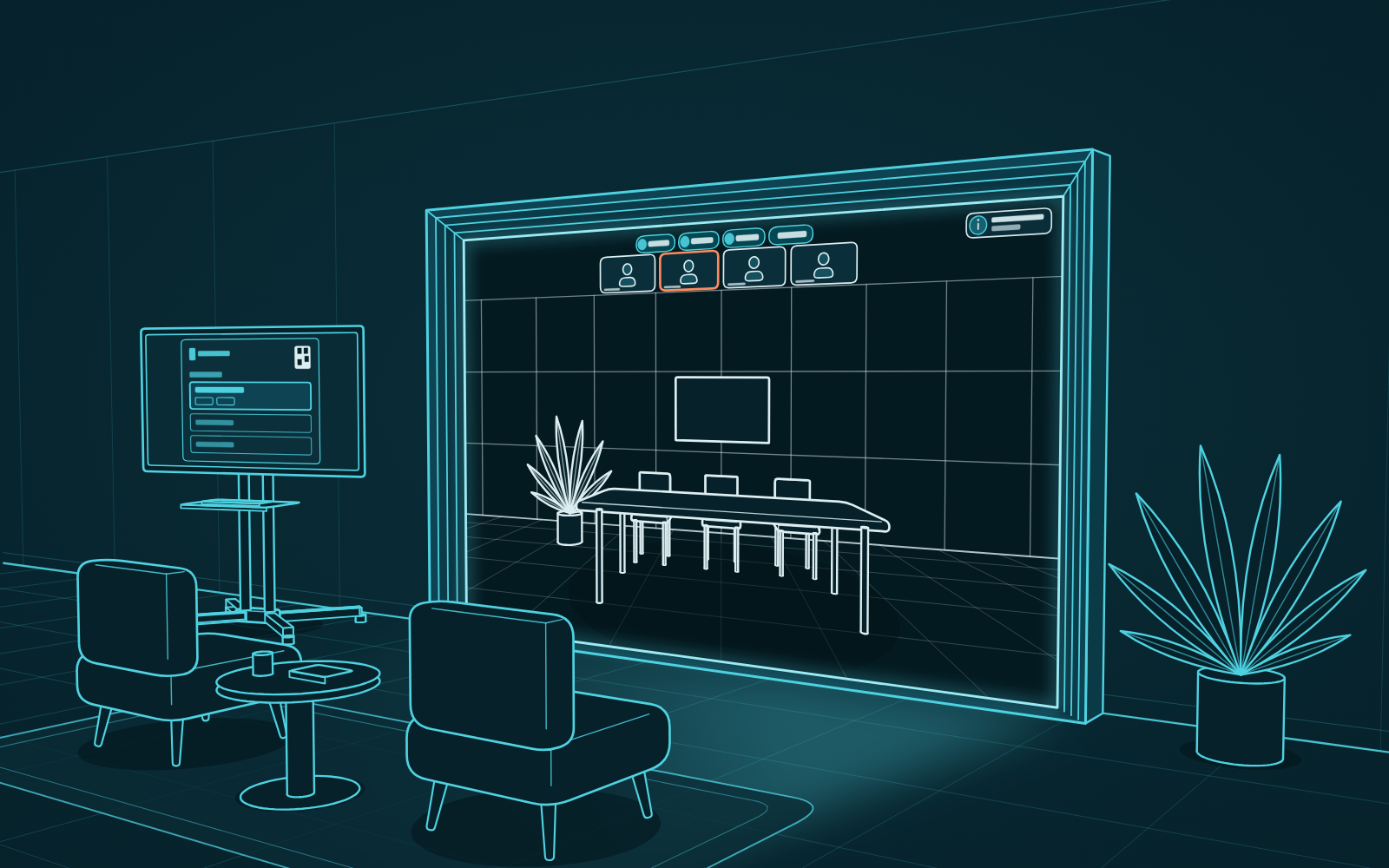
This update helps the portal recognize more and interrupt less. Meeting rooms that join an MS Teams call appear life-size on the wall, the controller has a new layout for calls, and a call that runs long gives itself more time.
Meeting rooms appear life-size in MS Teams calls (patent pending)
In an MS Teams call, the portal can now tell a meeting room from a person on a laptop. A meeting room gets a life-size place on the wall, with its name and mute state, where it used to be a small tile among the webcams. Up to two rooms can be life-size at a time, and people on laptops stay in the row of tiles.
A new controller layout for calls
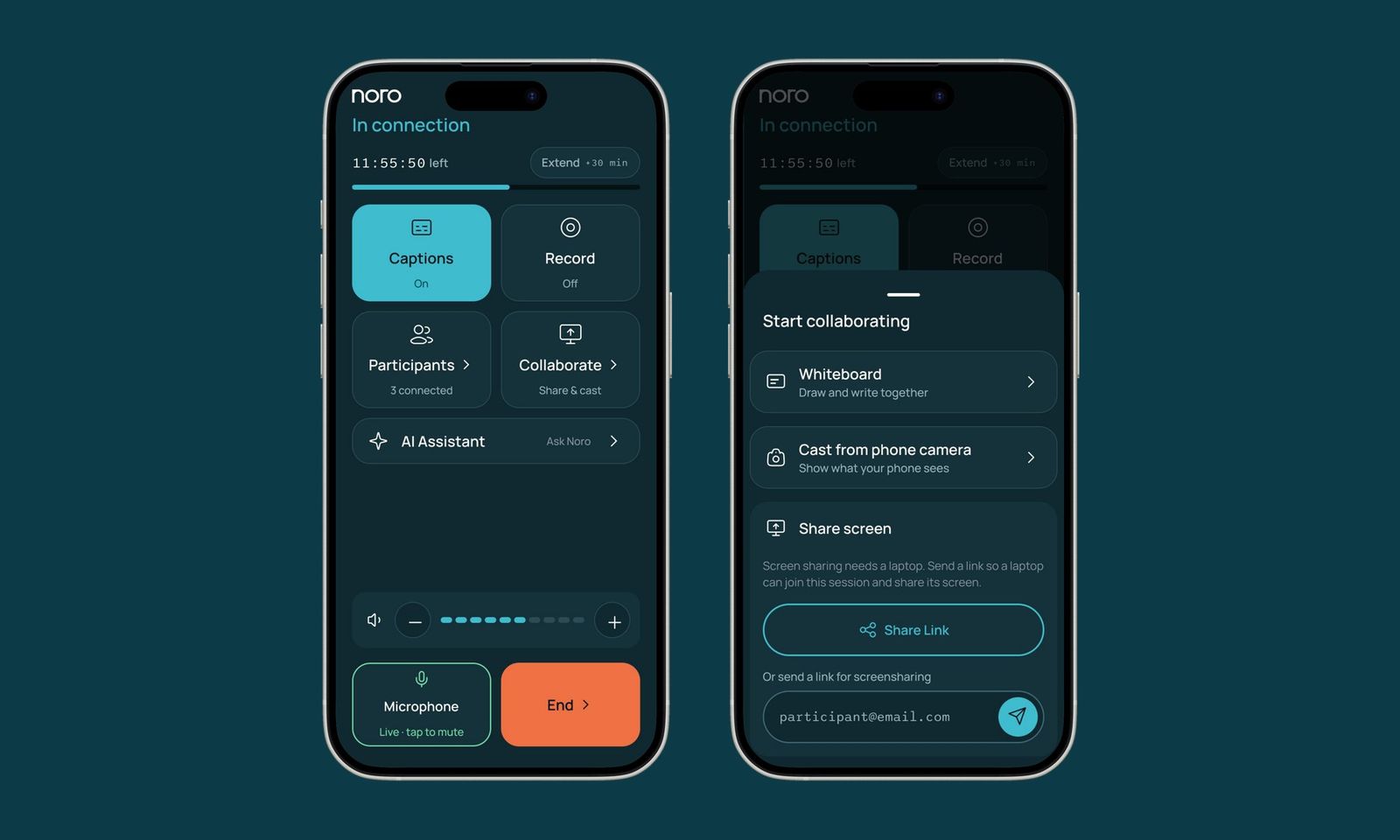
The controller screen you use during a call has been rebuilt. The portal has gained many features over the past year, and the old screen had become crowded. The new layout groups the controls by what you want to do, so the ones you need are easy to find.
- Options open in a sheet over the call and close when you're done.
- Each button shows clearly whether it's on, off or unavailable.
- On a phone, everything fits without scrolling, so the volume and the microphone are always within reach.
- Joining an MS Teams meeting is a clearer step, with its own button for the meeting link.
Calls that run long extend themselves
A call that runs past its booked end no longer drops in the middle of a conversation. If the portal is free afterwards, the call extends itself, and it never runs into the next booking. The controller tells you when a call is about to extend and confirms once it has.
- This works for portal-to-portal calls, presentation mode and scheduled MS Teams meetings.
- You can still extend a call by hand.
Private meetings stay private
Invites marked Private or Confidential in Outlook now appear as "Booked Meeting" on the portal, on the controller and in Admin, so nobody walking past can read a sensitive meeting title. This applies to invites received from now on.
Also in this release
- In the AI tools preview, the whiteboard zooms to fit after the assistant draws, and voice commands respond faster.
- Quick connect and Present are available whenever a portal is free, even with a booking coming up. The booking only limits how long you can connect for.
- The portal's schedule updates as soon as a booking is created, moved or cancelled.
- A running MS Teams meeting shows on the schedule as a live card, with the portals connected to it.
- The participants list and count are accurate for portals and MS Teams participants.
- Calendar invites are matched to the right booking more reliably.
- Changes to a camera's rotation in Admin take effect within seconds.